Approvals get lost in inboxes and threads. Here is how to collect a clear yes on the work, logged for good, without chasing a single email.
Why the email approval fails
An email asking for sign off is easy to miss and impossible to track. The reply lands in a thread, the file version is unclear, and three weeks later nobody can say who approved what. When the client says they never signed off, you have no record, only a scroll.
- Approvals scatter across inboxes, with no single place to look.
- File versions drift, so people approve the wrong draft.
- There is no timestamped record when a question comes up later.
Put the ask where the work is
The fix is to move the approval to the file, not the inbox. In Stelaah, you share the exact version in the client portal and ask for a decision right there. The client sees what needs sign off, opens it, and approves in a click. No new login, no digging.
Every decision, logged for good
When a client approves, Stelaah records who, what, and when, against that version. If a question comes up later, the answer is on the record, not in someone's memory. Revisions keep their history, so an approval always points at the thing that was actually approved.
Less chasing, faster yes
Because the client opens one calm place and sees exactly what waits on them, approvals come back faster and you stop being the reminder service. Aria can nudge the client politely when something has been waiting, so you do not have to.
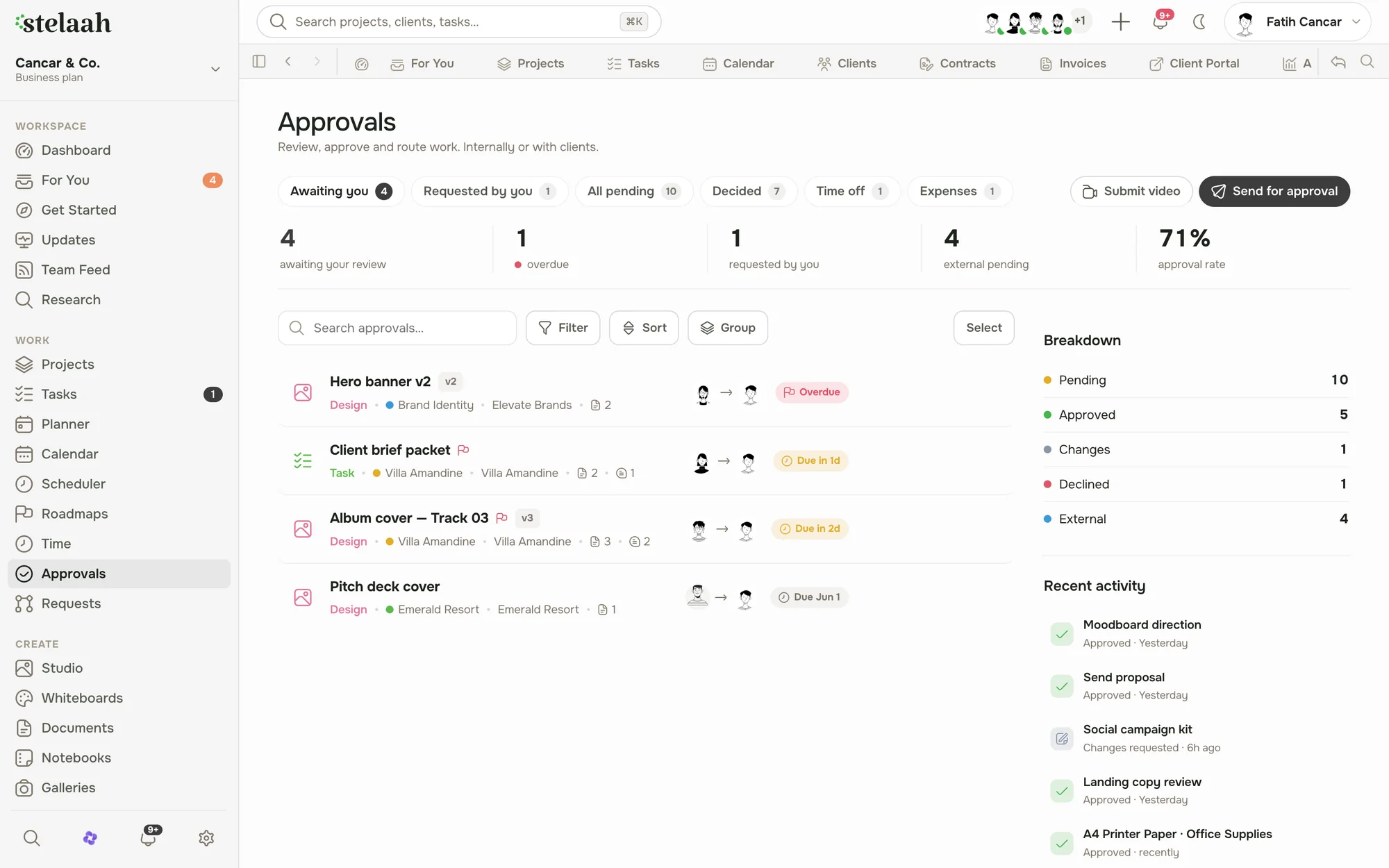
See it in the product: Approvals in Stelaah.
Run your client work in one place. Stelaah keeps projects, clients, contracts, and invoices together, with Aria for the busywork.
Start freeWe build Stelaah, the workspace for client work. We write about running studios, agencies, and venues without the busywork.