Pregnancy Planner
An undated week by week digital pregnancy planner for iPad and Android tablets, from week 4 to week 40, the birth and the first four weeks at home.
$9, one-time payment · PDF, 182 pages, landscape and portrait
Specifications
| Brand | Stelaah |
|---|---|
| Category | Digital planners |
| Format | PDF, 182 pages, landscape and portrait |
| Pages | 182 |
| Price | $9, one-time payment, no subscription |
| Free version | The free edition has 23 pages: your details, key dates by week, appointments, questions, contacts, weight and bump, baby's movements, baby names, the things to get, birth preferences, the hospital bag, a contraction log and a postpartum plan. |
| Files | Stelaah Pregnancy Planner.zip (1.0 MB) |
| Works with | Made for Goodnotes, Notability and other PDF annotation apps on iPad and Android tablets. Links work in reading mode. |
| Devices | iPad, Android tablets and computers; any page prints |
| Licence | Use it yourself and in your own business, including work for your clients. Please do not share or resell the files. |
| Language | English |
| Includes | 74 week-by-week pages, 28 newborn log pages |
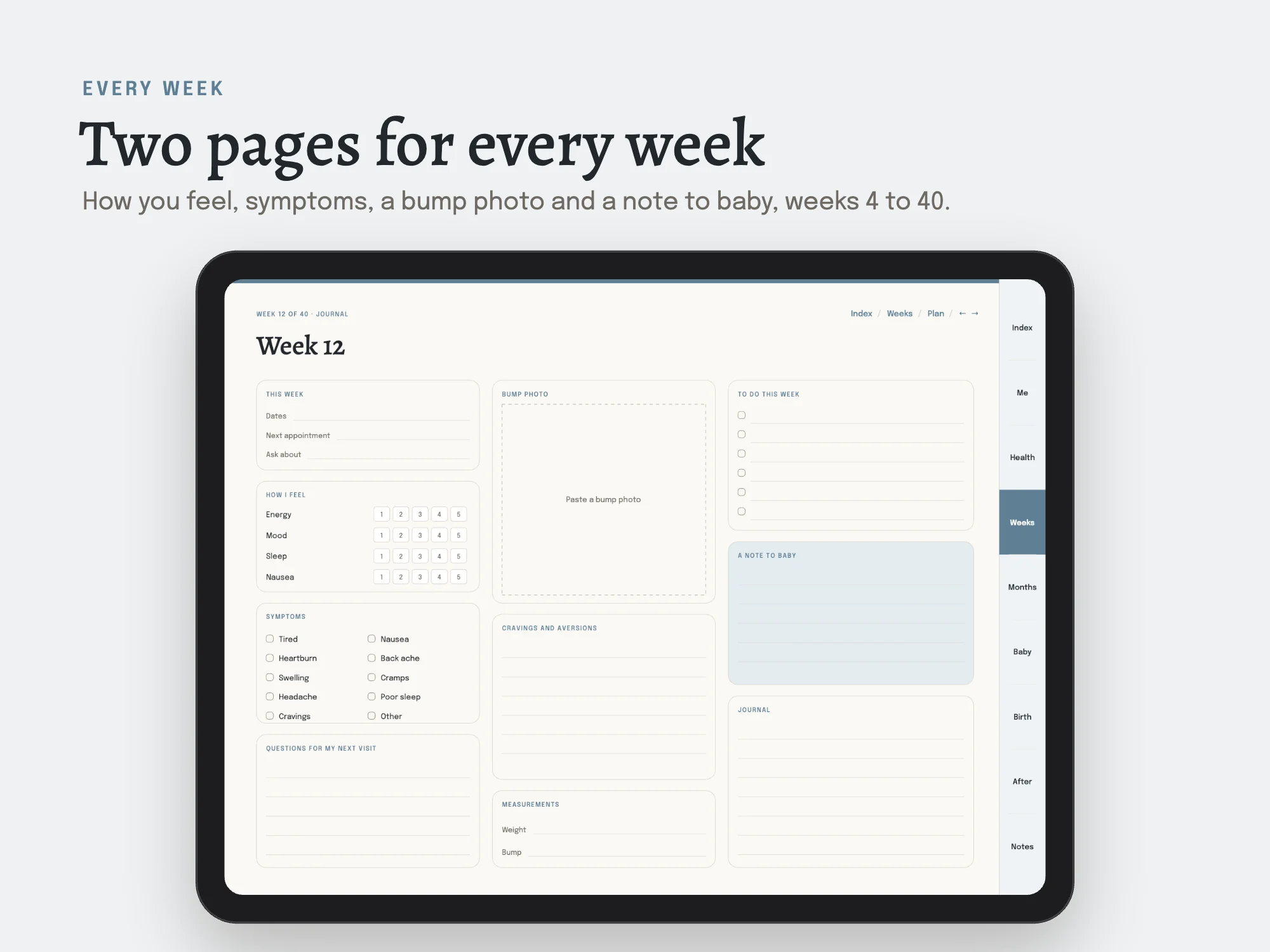
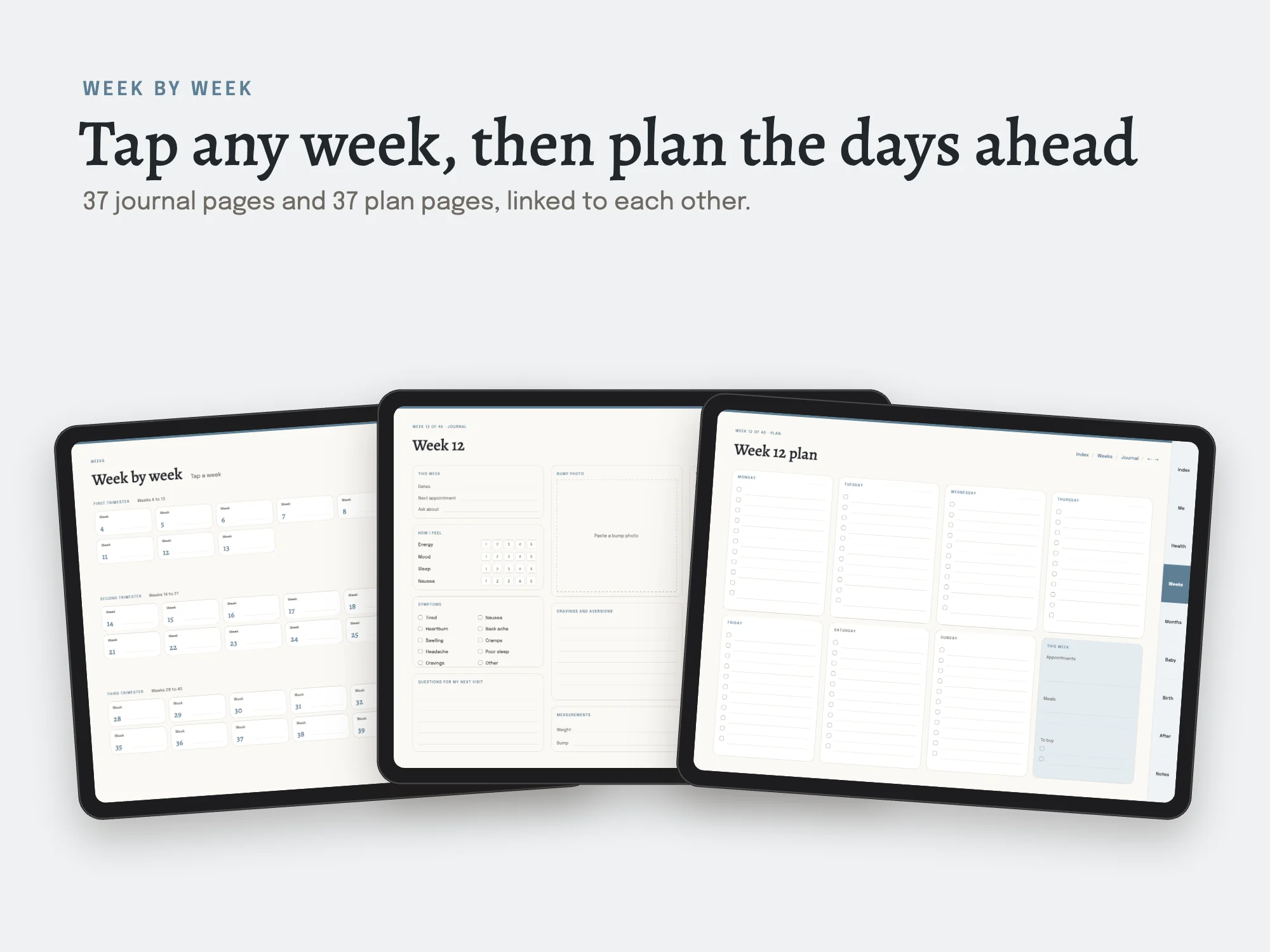
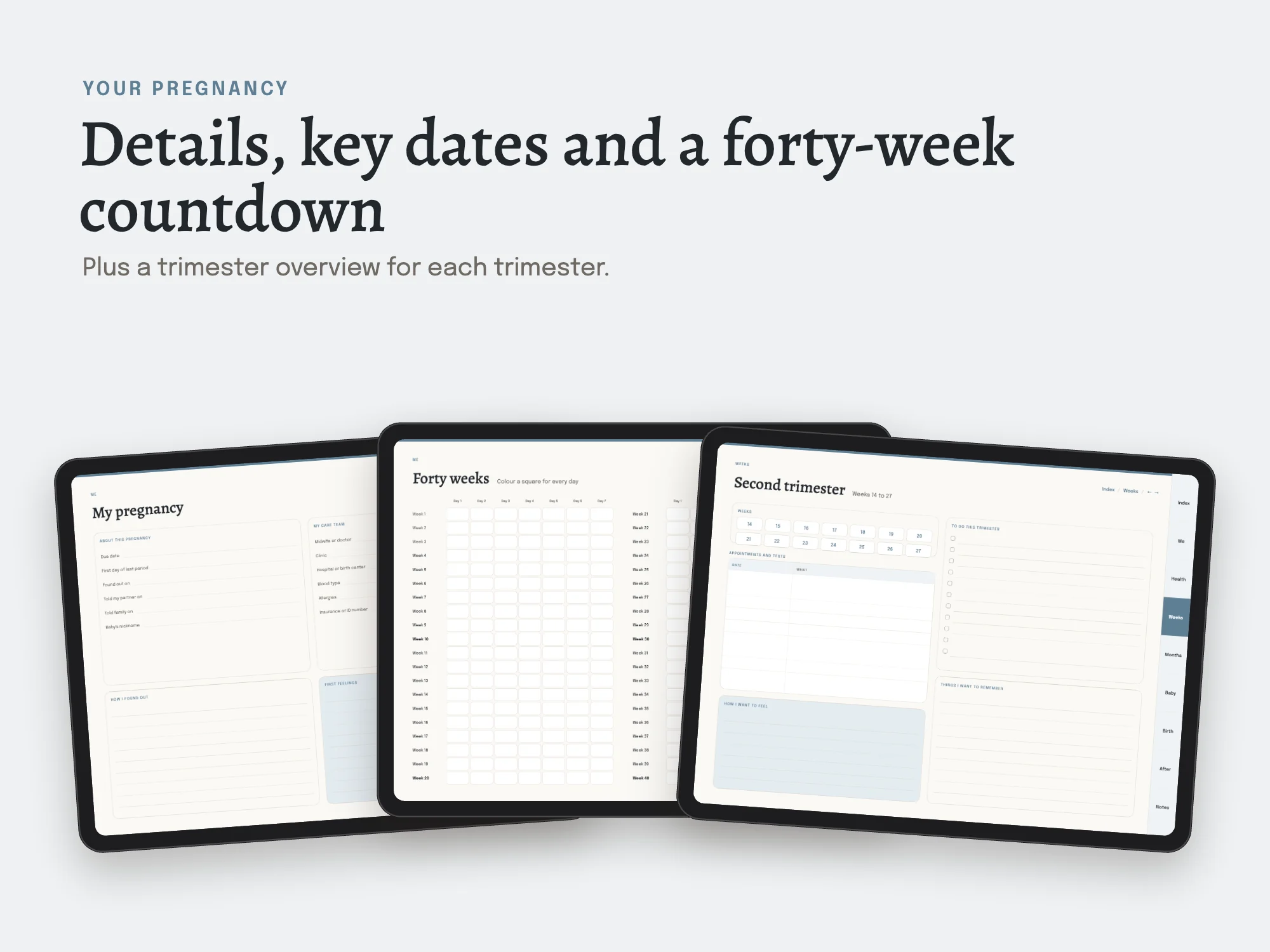
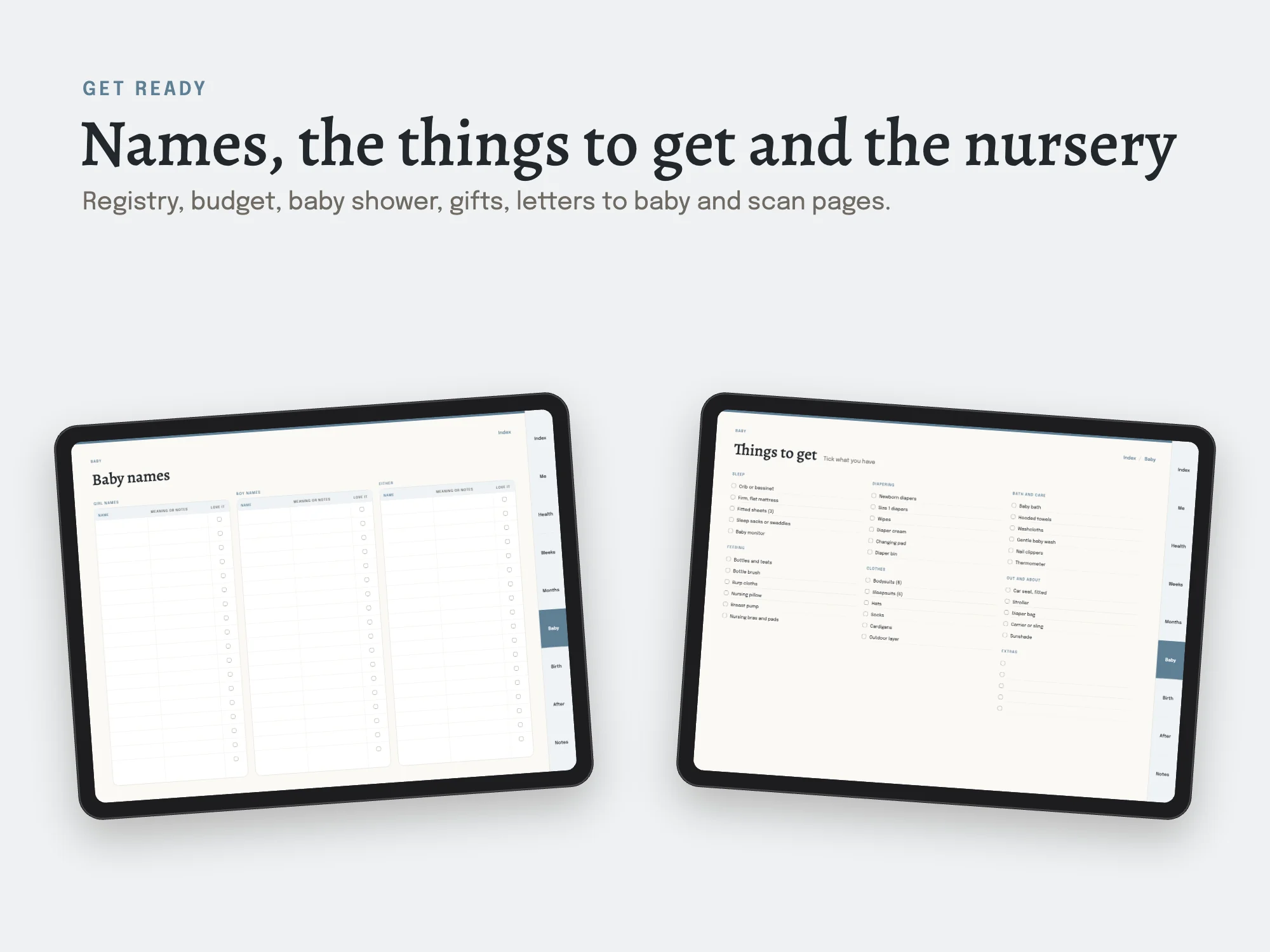
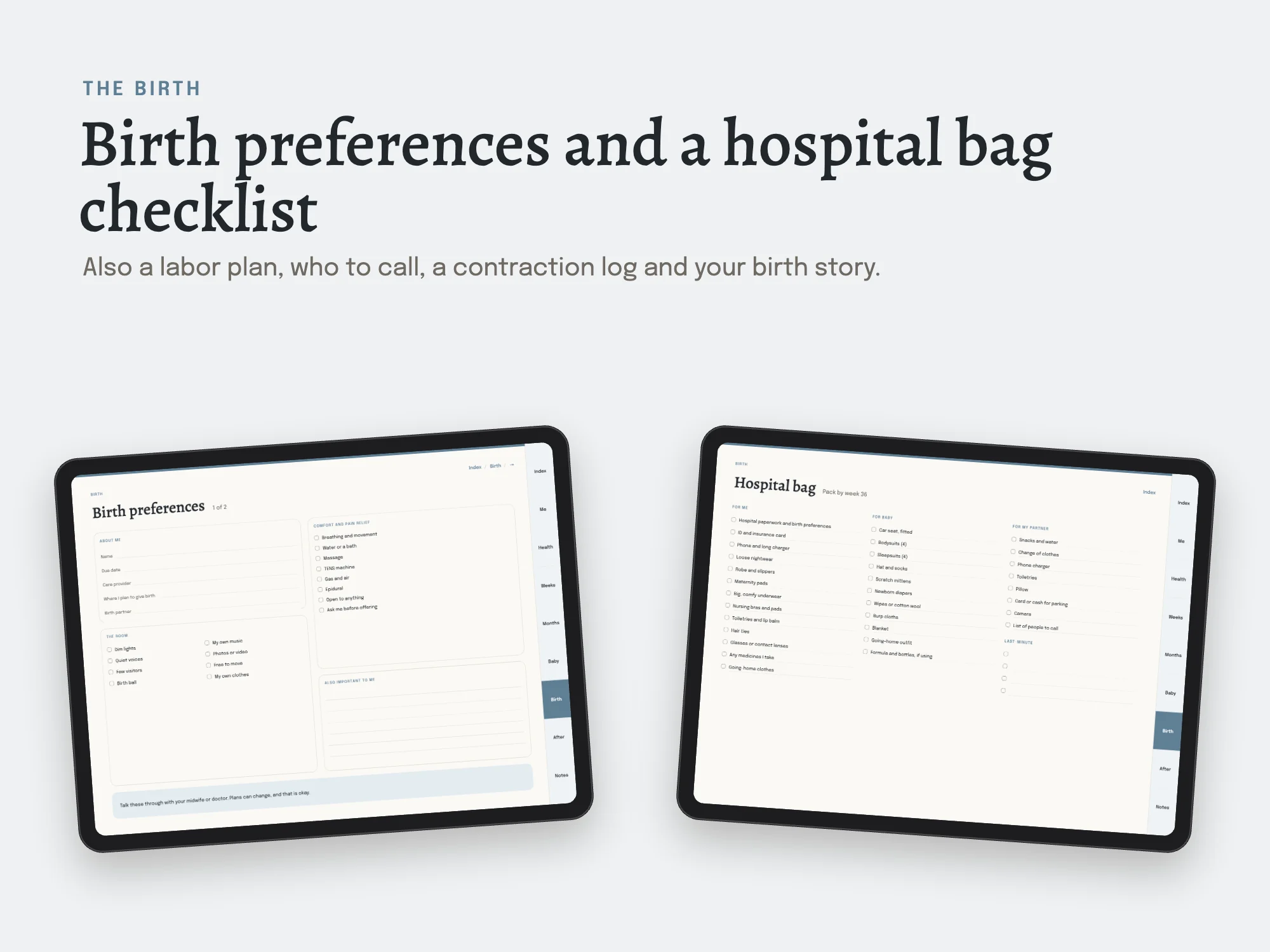
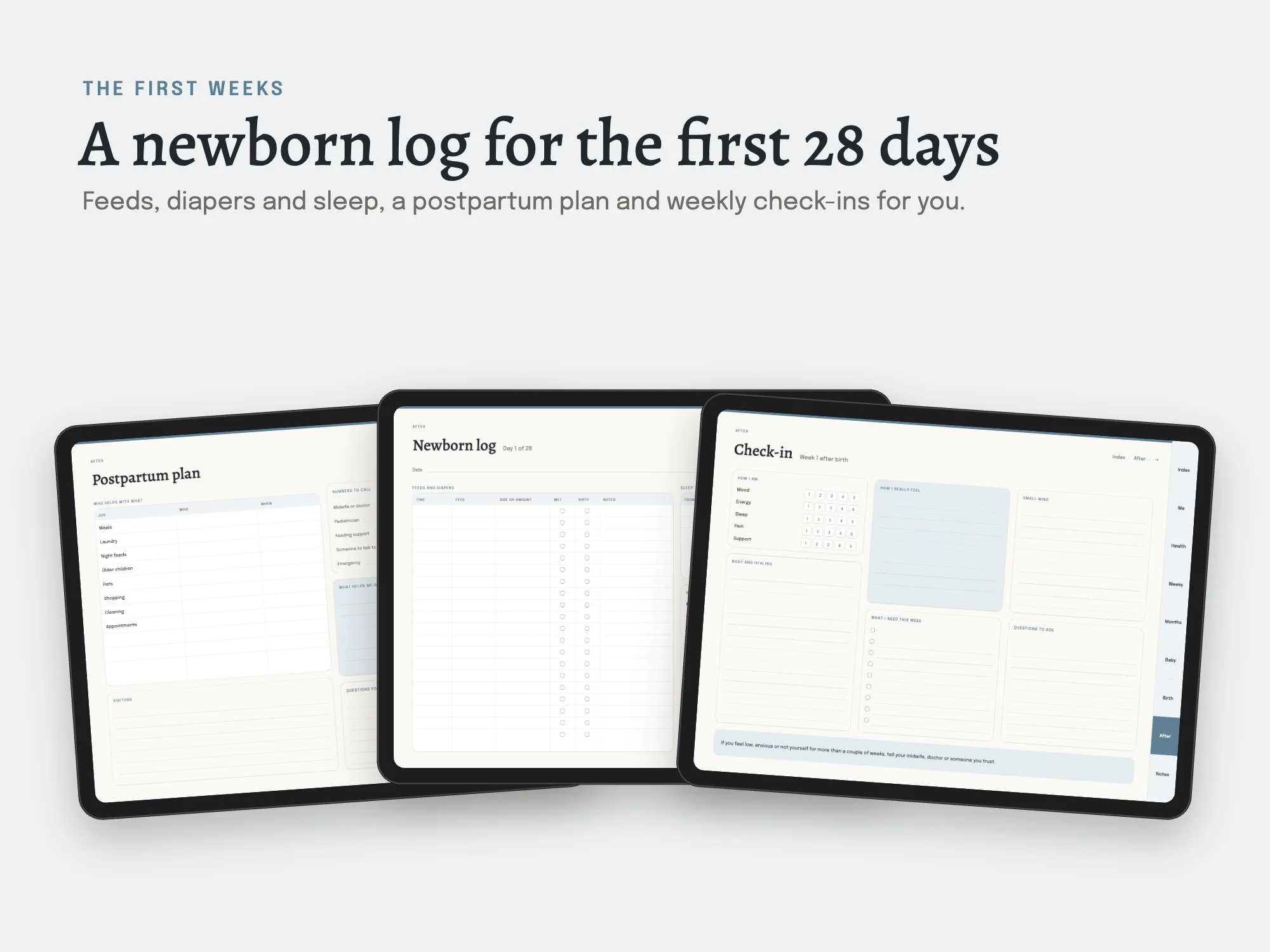
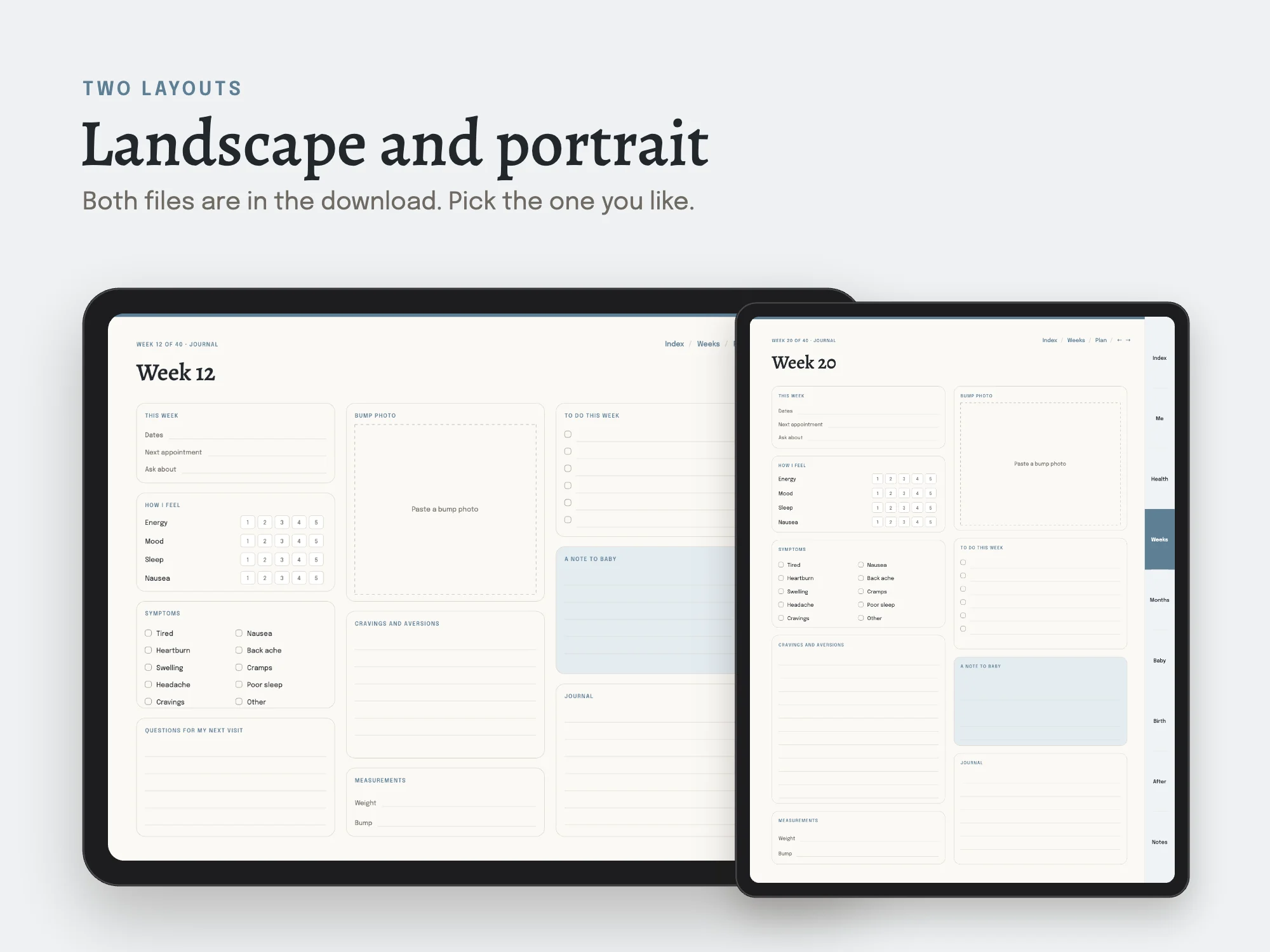
An undated digital pregnancy planner for iPad and Android tablets, from week 4 to week 40, the birth and the first four weeks at home. Every week has two linked pages: a journal page (how you feel, symptoms, a bump photo, cravings, a note to baby) and a plan page for the days ahead. Also includes appointments, questions for your care team, tests and scans, weight and bump by week, baby names, a registry and budget, a baby shower planner, birth preferences, a hospital bag checklist, a contraction log, a postpartum plan, 28 newborn feeding and diaper log pages and six weekly check-ins for you. 182 hyperlinked pages in landscape and portrait files for Goodnotes, Notability and other PDF apps. Undated, so you can start in any week. For your own notes, not medical advice.
See inside
What's inside
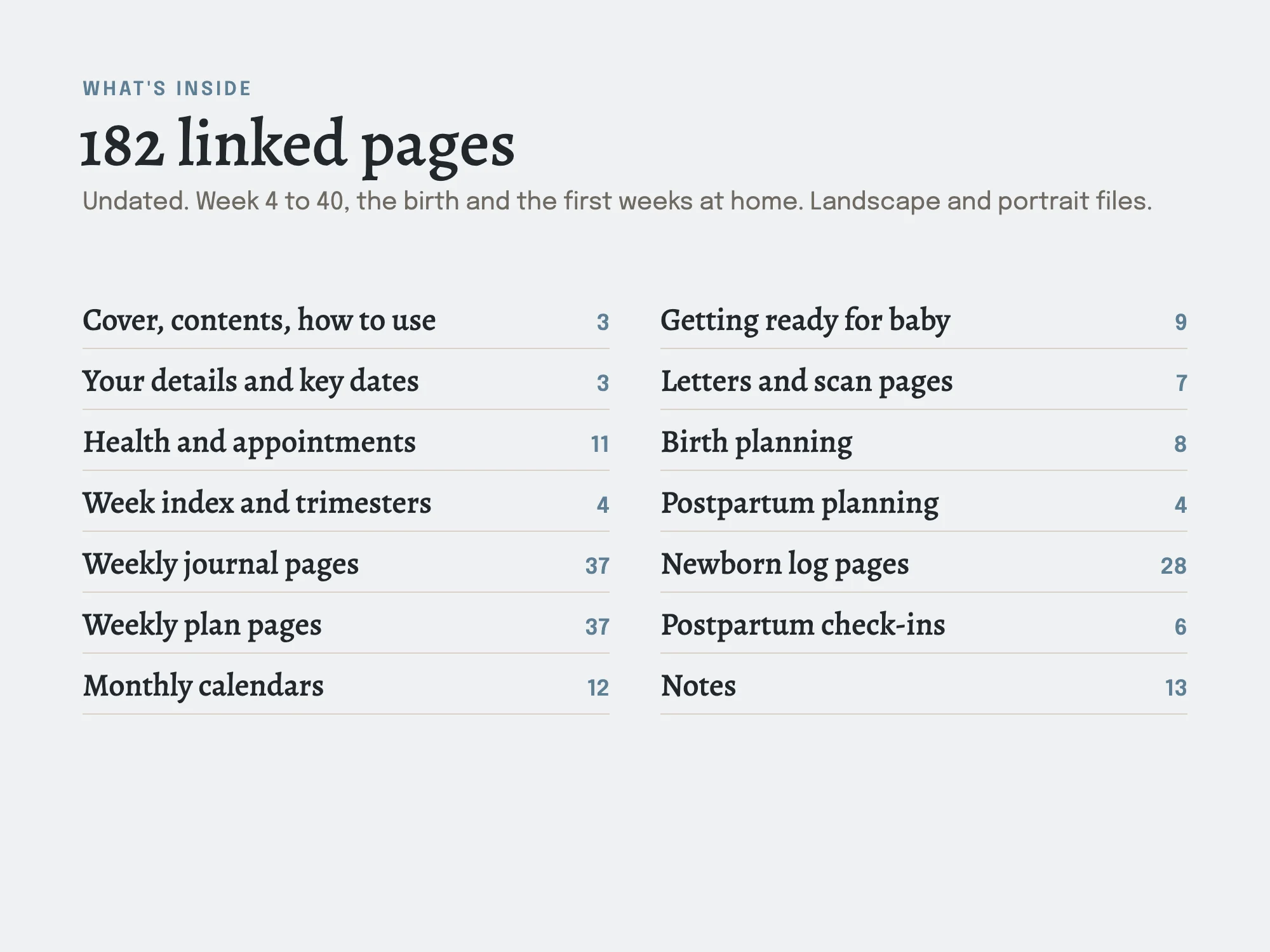
182 pages in each file, undated. Two files: iPad landscape and iPad portrait. The free edition has 23 pages.
| Section | Pages or size |
|---|---|
| Cover and contents | 2 |
| How to use this planner | 1 |
| My pregnancy | 1 |
| Key dates by week | 1 |
| Forty weeks countdown | 1 |
| Appointments log | 2 |
| Questions for my care team | 2 |
| Contacts | 1 |
| Tests and scans | 1 |
| Symptoms by week | 1 |
| Weight and bump by week | 1 |
| Blood pressure and glucose log | 1 |
| Medicines and vitamins | 1 |
| Baby's movements log | 1 |
| Week by week | 1 |
| Trimester overviews | 3 |
| Week-by-week journal pages (weeks 4 to 40) | 37 |
| Weekly plan pages (weeks 4 to 40) | 37 |
| Undated monthly calendars | 12 |
| Baby names | 1 |
| Name shortlist | 1 |
| Nursery plan | 1 |
| Baby essentials checklist | 1 |
| Registry tracker | 2 |
| Baby budget | 1 |
| Baby shower planner | 1 |
| Gifts and thank-yous | 1 |
| Letters to baby | 3 |
| Scan and photo pages | 4 |
| Birth preferences | 2 |
| Hospital bag checklist | 1 |
| Labor plan and who to call | 1 |
| Contraction log | 1 |
| Birth story | 2 |
| Birth details | 1 |
| Postpartum plan | 1 |
| Meals to freeze | 1 |
| Parental leave plan | 1 |
| Newborn log pages (28 days) | 28 |
| Postpartum check-ins (6 weeks) | 6 |
| Baby's firsts | 1 |
| Notes index | 1 |
| Notes pages | 12 |
Who it's for
- Expecting parents
- Partners preparing for a baby
You may be looking for
- pregnancy planner
- week by week pregnancy journal
- digital pregnancy planner Goodnotes
- pregnancy tracker
- birth plan template
- hospital bag checklist
Guides
Works with
Made for Goodnotes, Notability and other PDF annotation apps on iPad and Android tablets. Links work in reading mode.
Which device and app
- iPad
- Yes. Open it in Goodnotes, Notability or Noteshelf and write with Apple Pencil or any stylus. It comes as two files, landscape and portrait, so you choose how you hold the tablet. Import it as a document, not as an image, so the tabs and links keep working.
- Android tablet
- Yes. Noteshelf, Xodo and Penly open it with the links working, and you write with the S Pen or any stylus. Samsung Notes also opens it for handwriting.
- Computer
- Yes. It opens in any PDF reader on a Mac, Windows PC or Chromebook, where you can follow the links and add notes with the reader's text and drawing tools. It is made for writing by hand, so a tablet suits it best.
- Phone
- It opens on an iPhone or Android phone, but the pages are made for a tablet, so a phone is best for checking the plan rather than writing in it.
- Paper
- Yes. It is a standard PDF, so any page prints from a PDF reader. Choose Fit to page for Letter or A4.
Questions
- Does it work on iPad?
- Yes. Open it in Goodnotes, Notability or Noteshelf and write with Apple Pencil or any stylus. It comes as two files, landscape and portrait, so you choose how you hold the tablet. Import it as a document, not as an image, so the tabs and links keep working.
- Does it work on an Android tablet, like a Samsung Galaxy Tab?
- Yes. Noteshelf, Xodo and Penly open it with the links working, and you write with the S Pen or any stylus. Samsung Notes also opens it for handwriting.
- Can I use it on a computer?
- Yes. It opens in any PDF reader on a Mac, Windows PC or Chromebook, where you can follow the links and add notes with the reader's text and drawing tools. It is made for writing by hand, so a tablet suits it best.
- Can I use it on a phone?
- It opens on an iPhone or Android phone, but the pages are made for a tablet, so a phone is best for checking the plan rather than writing in it.
- Can I print it?
- Yes. It is a standard PDF, so any page prints from a PDF reader. Choose Fit to page for Letter or A4.
- Which apps does it work with?
- Made for Goodnotes, Notability and other PDF annotation apps on iPad and Android tablets. Links work in reading mode.
- How much does it cost?
- $9, a one-time payment. There is no subscription.
- What do I download?
- Stelaah Pregnancy Planner Free Edition.zip (320 KB).
- Can I share or resell it?
- Use it yourself and in your own business, including work for your clients. Please do not share or resell the files.