Content Creator Business Dashboard
An Excel and Google Sheets dashboard for running a content creator business: content calendar, brand deals with usage rights, deliverables, income by source and expenses.
$19, one-time payment · Excel workbook, 8 tabs, and a 3-page setup guide
Specifications
| Brand | Stelaah |
|---|---|
| Category | Spreadsheets and tools |
| Format | Excel workbook, 8 tabs, and a 3-page setup guide |
| Price | $19, one-time payment, no subscription |
| Free version | The free Content Calendar plans posts with status and missed-post flags, and counts posts by month. |
| Files | Stelaah Content Creator Business Dashboard.zip (85 KB) |
| Works with | Open the .xlsx in Excel 365, or upload it to Google Drive and open it with Google Sheets. The setup guide is a PDF. |
| Licence | Use it yourself and in your own business, including work for your clients. Please do not share or resell the files. |
| Language | English |
| Includes | 8 tabs, 7 platforms tracked |
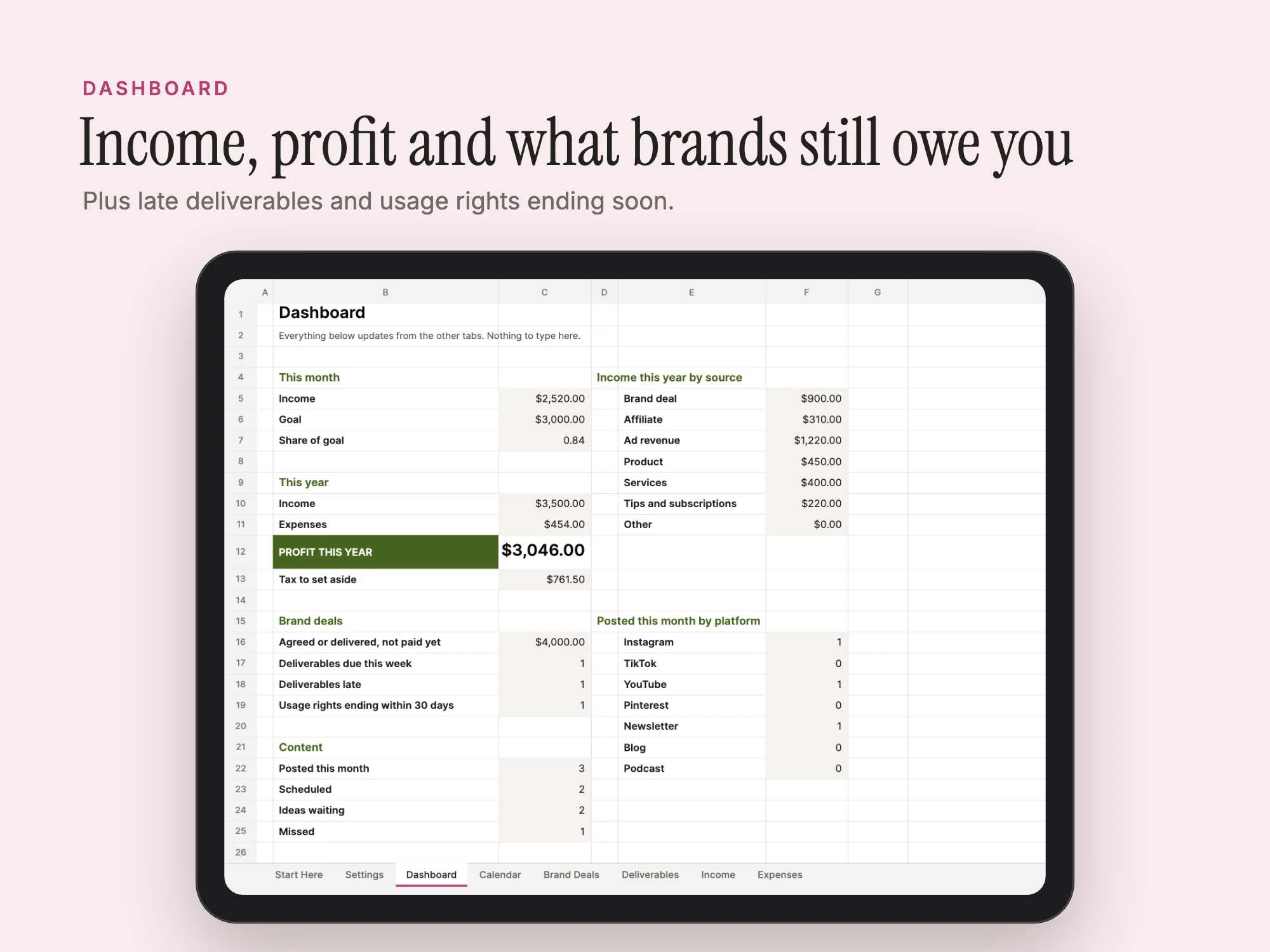
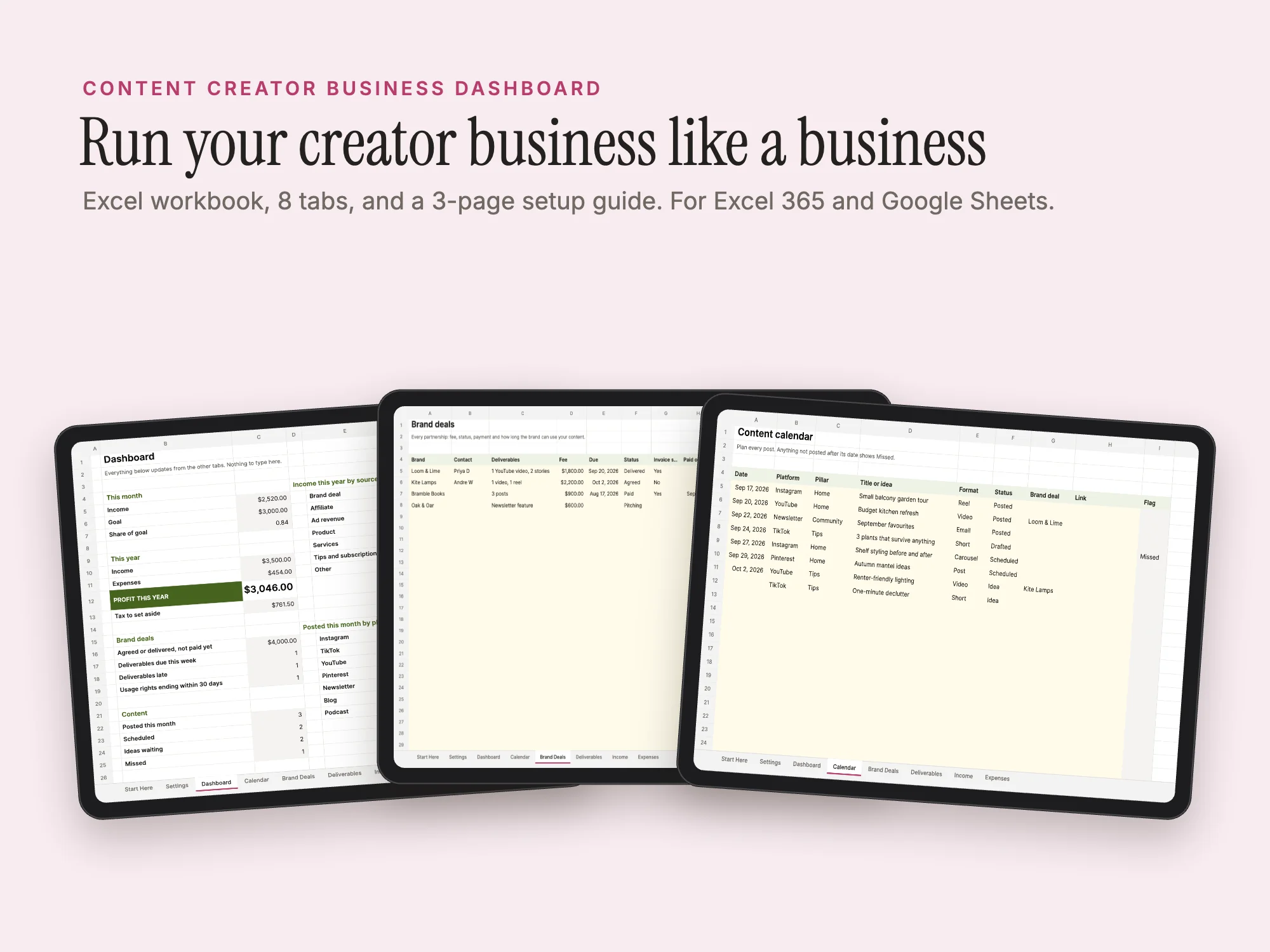
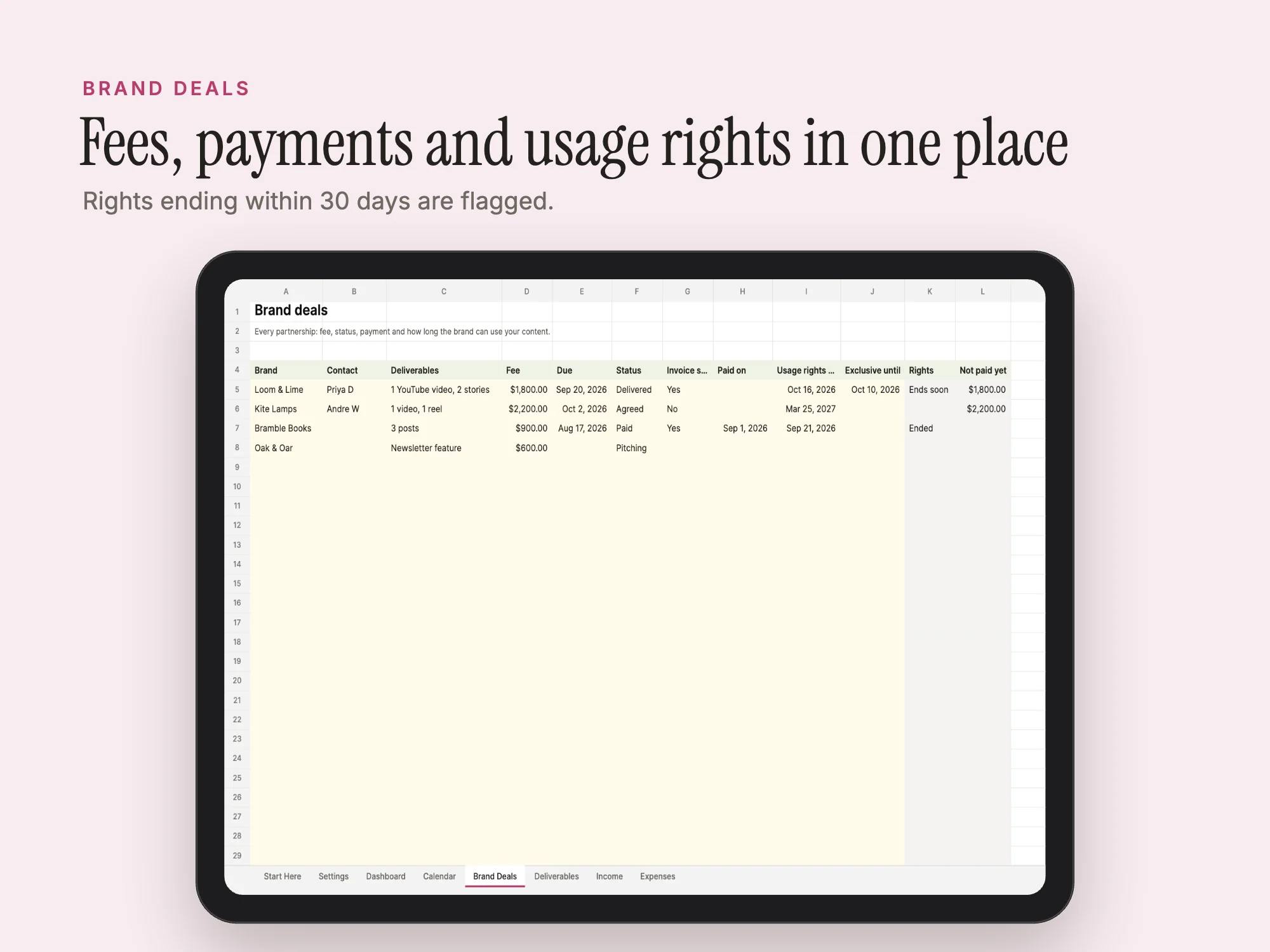
Run your channel like a business. A content calendar with status and missed-post flags, brand deals with fees, invoices, payment, usage rights and exclusivity dates, deliverables with due dates, income by source and expenses. The dashboard shows income against your goal, profit, tax to set aside, unpaid deals, late deliverables, usage rights ending soon and what you posted on each platform. Works in Excel 365 and Google Sheets.
See inside
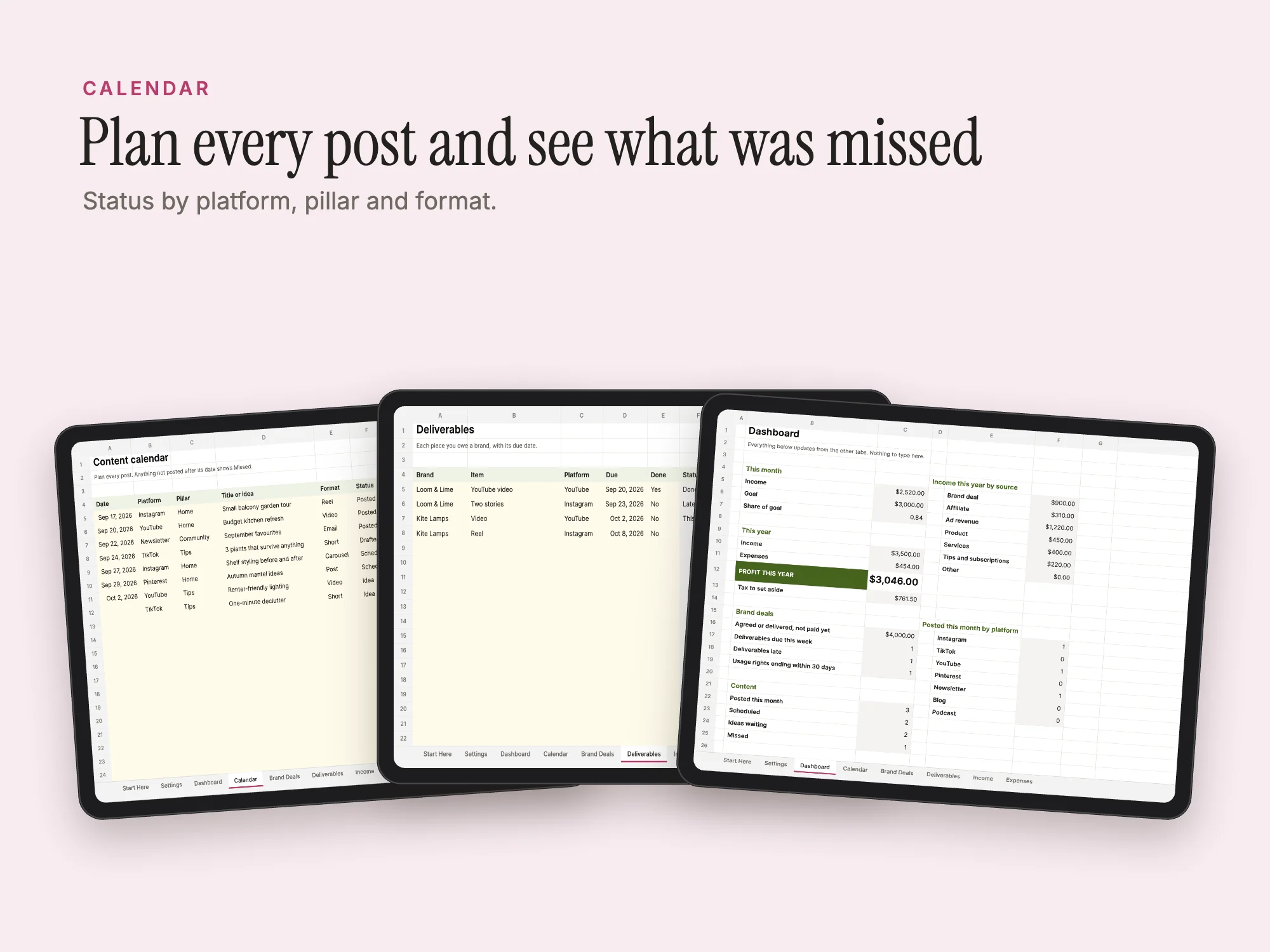
What's inside
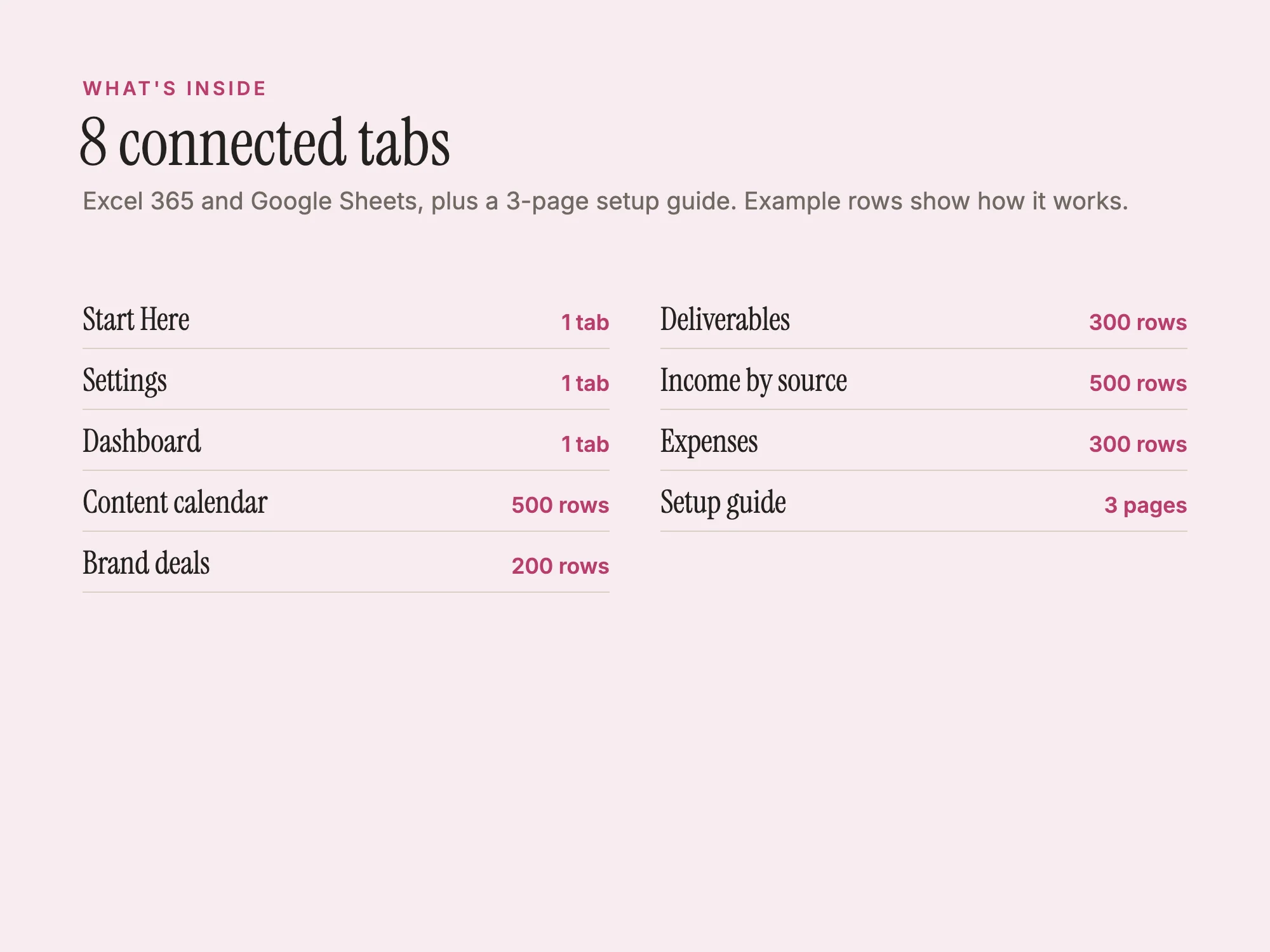
Excel 365 and Google Sheets, plus a 3-page setup guide. Example rows show how it works.
| Section | Pages or size |
|---|---|
| Start Here | 1 tab |
| Settings | 1 tab |
| Dashboard | 1 tab |
| Content calendar | 500 rows |
| Brand deals | 200 rows |
| Deliverables | 300 rows |
| Income by source | 500 rows |
| Expenses | 300 rows |
| Setup guide | 3 pages |
Who it's for
- YouTubers, TikTok and Instagram creators
- Influencers working with brands
- Podcasters and bloggers
You may be looking for
- content creator business spreadsheet
- brand deal tracker
- influencer income tracker
- content calendar spreadsheet
- usage rights tracker
Works with
Open the .xlsx in Excel 365, or upload it to Google Drive and open it with Google Sheets. The setup guide is a PDF.
Questions
- Which apps does it work with?
- Open the .xlsx in Excel 365, or upload it to Google Drive and open it with Google Sheets. The setup guide is a PDF.
- How much does it cost?
- $19, a one-time payment. There is no subscription.
- What do I download?
- Stelaah Content Calendar - Free.xlsx (183 KB).
- Can I share or resell it?
- Use it yourself and in your own business, including work for your clients. Please do not share or resell the files.